Doha Golf Club


Welcome To
Doha Golf Club
Experience more than a golf club
A green oasis of golf, surrounded by city views, we promise to offer our Members and their Guests an unforgettable experience.
Since 1998, we have been driven to offer more than just golf, with a host of leisure activities, social events and dining options.
Scroll down to view the many experiences of the club.
We look forward to welcoming you to the club soon....

Experiences


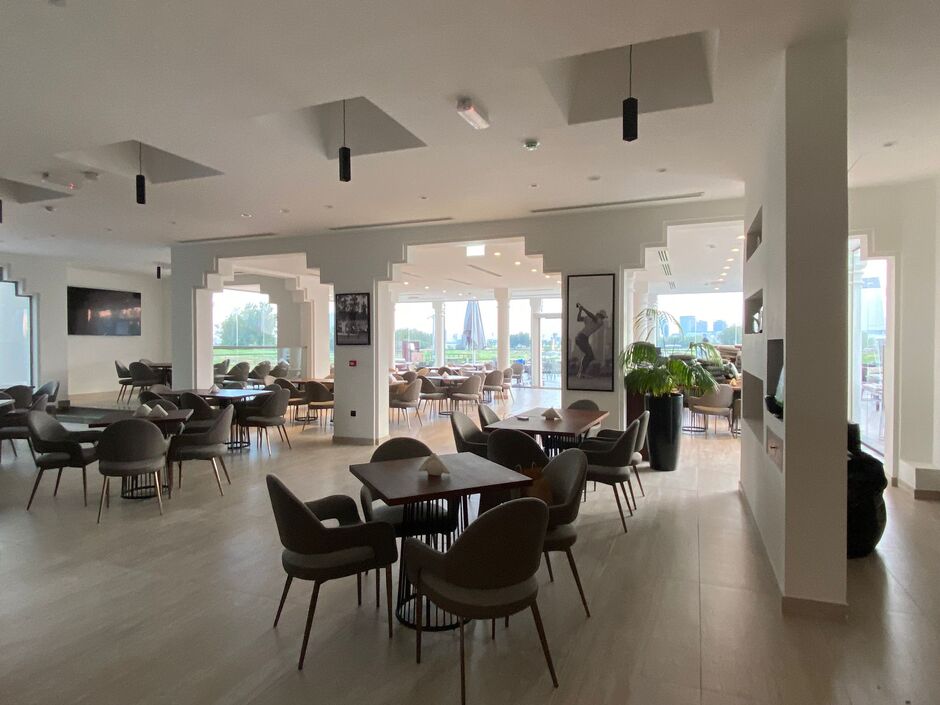
Visit our refurbished Spikes Bar & Terrace
A new, enhanced dining experience
We have recently completed an extensive refurbishment of our beloved ground floor Spikes Bar & Terrace.
A larger indoor space, our new Grand Bar, and a raised terrace, add to your 'apres golf experience', and make it a perfect, modern dining venue, for lunch or dinner
Click here for further details
Qatar Golf Academy
Learn and Improve your Golf game.
The Academy here at Doha Golf Club is one of the most established in the region and is run by a team of fully qualified PGA Professionals who are on-hand to assist you and take you through every aspect of the game.
MORE INFO


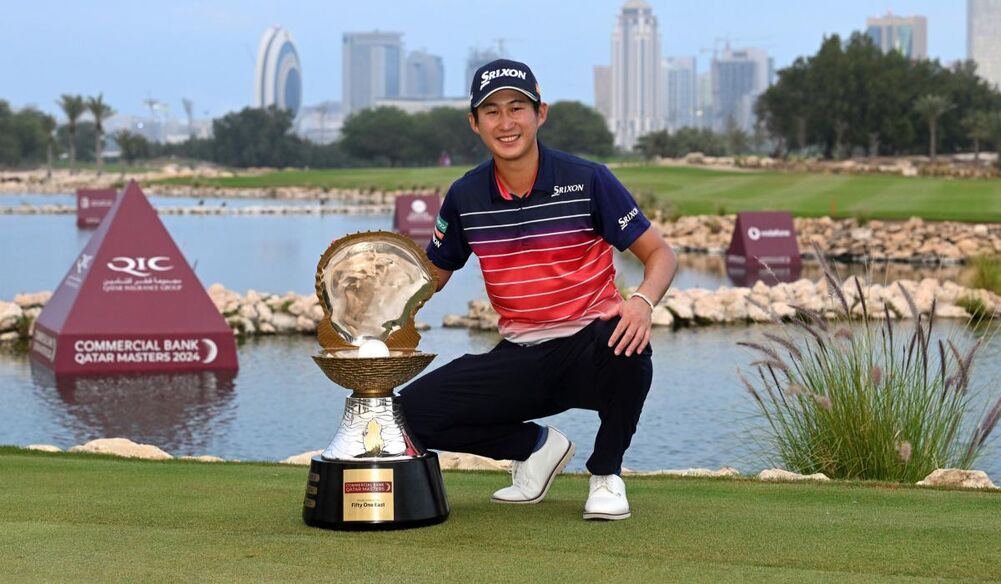
We were delighted to host the 27th Edition of the Qatar Masters from 8-11 February 2024
Pictured (right) was the winner, Rikuya Hoshino of Japan

Club News



Clubhouse Refurbishment & Operations During Ramadan
Sunday 10th March 2024
Clubhouse Refurbishment & Operations During Ramadan
Read More...
Read More News
Contact Us
Golf Course Street, West Bay Lagoon, Doha, State of Qatar
P.O.Box 13530
Call: +974 4496 0777
Whatsapp: 974 44960715
Email: info@dohagolfclub.com



Created by intelligentgolf version 10.1.2.